
An LMS for employee development helps organizations turn learning into a structured, trackable growth process. It connects employee skills, career goals, learning paths, practice, and progress in one place. HR and L&D teams can guide development based on roles, skill gaps, and business needs.
Employees can follow learning paths built around their current role or career goals. HR and L&D teams can assign training and assess skills. This guide explains how an LMS supports employee development, what you can use it for, five platforms worth considering, and how to choose the right system for your team.
What is an LMS for Employee Development?
It is a learning management system that helps employees build skills and grow in their roles. It brings courses, assessments, learning paths, and progress data into one place.
A basic LMS may focus on course delivery and completion. A development-focused LMS goes further. It can connect learning to job roles, skills, career goals, and future opportunities.
Shaleenah Marie, Head of Learning and Development at Siemens, highlights the shift from isolated courses to broader “ecosystems of growth” that combine digital platforms, credentials, and collaboration.
A development-focused LMS typically offers the following Learning Management System Features:
- Learning paths and course libraries
- Skills tracking and skill-gap analysis
- Assessments and quizzes
- Certificates and credentials
- Progress dashboards
- Personalized learning
- Mobile learning
- Social and collaborative learning
- HRIS and workplace integrations
- AI-based recommendations
The main goal is to make employee growth more structured and measurable. Instead of asking only, “Did the employee finish the course?”, teams can ask, “Did the employee build the skill?”
How Does an LMS Support Employee Development?

An LMS for employee development supports the full learning cycle, from finding skill gaps to tracking progress.
Connect Learning to Roles and Skills:
Role-based training helps employees build skills linked to their jobs. Skills tracking also shows which skills each course supports.
Build Clear Learning Paths:
Learning paths put courses in a clear order. Employees can move from basic lessons to practice, assessments, and advanced training.
Find Skill Gaps:
Assessments show what employees know and where they need help. Teams can then assign focused training instead of giving everyone the same course.
Personalize Learning:
An LMS can tailor learning based on roles, skill levels, and career goals. Course recommendations can also help employees find useful content faster.
Add Practice and Feedback:
Quizzes, assignments, scenarios, and peer activities help employees apply new skills. These tools work well for leadership, sales, and communication training.
Track Progress and Results:
An LMS tracks course progress, scores, certifications, and skills. Managers can use this data to spot gaps and support employee growth. This matters for retention too: 88% of organizations are concerned about employee retention.
What Can You Actually Use an LMS For?

The most useful way to assess an LMS for employee development is to start with the goal. Then match that goal to the features you need.
| Employee development goal | Useful LMS features | Practical use |
| Upskilling | Learning paths, skills tracking, assessments | Build skills needed in the current role |
| Reskilling | Skill-gap analysis, recommendations, assessments | Prepare employees for new roles |
| Leadership development | Learning paths, scenarios, feedback | Prepare managers and future leaders |
| Career growth | Skills profiles, career paths, certifications | Help employees prepare for target roles |
| Onboarding | Learning paths, checklists, assessments | Build role skills from the start |
| Soft skills | Scenarios, video, peer learning | Practice communication and teamwork |
| Compliance | Assignments, reminders, certificates | Keep required training on track |
| Internal mobility | Skills mapping, assessments, career paths | Prepare employees for internal roles |
| Continuous learning | Mobile learning (Supporting – Top Mobile Learning Platforms), recommendations, microlearning | Support ongoing skill growth |
1. Upskilling
Use the LMS to build skills that employees need in their current roles. Common examples include project management, data analysis, sales, AI, and cybersecurity.
Skill tests can help show where each employee should begin. This avoids giving the same training to everyone.
2. Reskilling
Reskilling helps employees prepare for a different role. Start by identifying the skills needed for that role. Then create a learning path around the missing skills.
For example, an employee moving into data analysis may need training in spreadsheets, data tools, statistics, and data storytelling.
3. Leadership Development
Leadership programs can use more than video courses. Add scenarios, case studies, assessments, coaching content, and feedback.
You can also create separate paths for new managers, experienced managers, and senior leaders.
4. Career Development
Career growth becomes clearer when employees can see the skills linked to future roles. An LMS can connect those skills with courses, assessments, and certificates.
Some LMS for employee development now include tools that match target roles with required skills. This helps employees see what they need to build before moving into a new position.
5. Onboarding
Onboarding can become the first stage of a long-term development path. Start with company and role basics. Then move into job skills and advanced training.
This creates a clear journey from new hire → capable employee → advanced contributor.
6. Continuous learning
Employees can use short courses, mobile lessons, recommendations, and microlearning throughout the year. This makes development part of regular work. 91% of L&D professionals agree that continuous learning is more important than ever for career success.
7. Measuring development
Use more than course completion to measure growth. Track assessment results, skill progress, certifications, learning activity, and manager feedback.
Where possible, connect learning data with performance or internal mobility data. This gives a clearer view of whether learning is helping employees move forward.
5 Best LMS Platforms for Employee Development
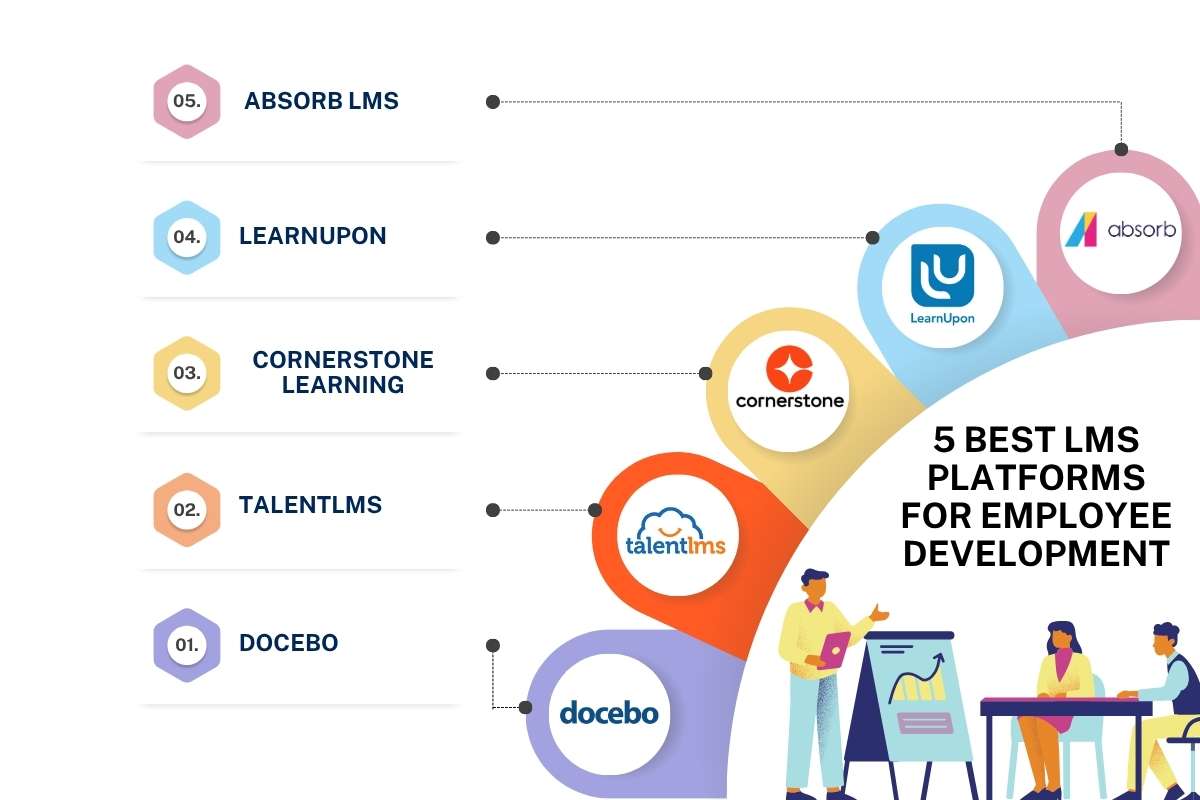
There is no single LMS for employee development that fits every company. The right choice depends on workforce size, goals, budget, integrations, and the level of skills tracking you need.
| Platform | Best for | Key development strengths |
| Docebo | Large organizations | AI, skills, personalization, analytics |
| TalentLMS | Small and mid-sized teams | Learning paths, skills, career development |
| Cornerstone Learning | Enterprise L&D | Learning and wider talent development |
| LearnUpon | Growing organizations | Structured learning and reporting |
| Absorb LMS | Broad training needs | Automation, analytics, integrations |
1. Docebo
Docebo is a strong choice for larger organizations with complex learning needs. Its development tools cover skills, personalized learning, AI, practice, and analytics. It can suit teams that want learning data to support wider talent goals.
2. TalentLMS
TalentLMS is a good fit for teams that want a simpler learning experience. Its tools include learning paths, skills management, assessments, career planning, reporting, and AI-supported course creation.
3. Cornerstone Learning
Cornerstone Learning suits large organizations with broad talent and learning needs. It is useful when employee learning needs to connect with wider talent programs and workforce planning.
4. LearnUpon
LearnUpon can work well for organizations that want a structured LMS without a highly complex setup. It supports employee training, learning paths, reporting, and different types of training programs.
5. Absorb LMS
Absorb LMS offers a broad set of tools for organizations with varied training needs. Its features include automation, reporting, integrations, mobile learning, and tools for managing learning at scale.
When comparing these learning management systems, look beyond the course catalog. Check how well each system supports skills, career paths, assessments, personalization, reporting, and employee engagement.
Key Benefits of an LMS for Employee Development
An LMS can help both employees and employers build a stronger learning process. Here are its main benefits:
1. Clearer Career Growth:
Employees can see the skills they need for current or future roles. This makes career development more concrete. SHRM found that 59% of workers whose organizations promote upskilling throughout the year reported feeling engaged.
2. More Targeted Training:
Skill data helps teams avoid giving every employee the same course. Training can match each person’s role and gaps.
3. Less Admin Work:
Automation can handle assignments, reminders, completion tracking, and reports. This gives L&D teams more time for program design and employee support.
4. Better Visibility:
Managers can see who is progressing and where gaps remain. L&D teams can also compare learning activity across groups.
5. More Consistent Development:
A central system gives teams a shared approach to employee learning across departments and locations.
6. Stronger Internal Mobility:
Skills data can help companies identify employees who may be ready for new roles. Learning paths can then help close the gaps before an internal move.
7. A Shift from Training to Growth:
The biggest benefit is creating a repeatable process where employees can find gaps, build skills, practice, track progress, and prepare for their next step.
Conclusion
The right LMS for employee development should do more than deliver online courses. It should connect skills, learning paths, practice, career goals, and measurable progress. First, define the skills your workforce needs. Then compare platforms against those goals. This approach can turn an LMS from a course library into a practical system for ongoing employee growth.
FAQs
1. What is an LMS for employee development?
It is a platform that helps employees build skills and track career growth.
2. How does an LMS support employee development?
It provides learning paths, skill tracking, assessments, and progress reports.
3. What features should an employee development LMS have?
Look for learning paths, skills tracking, analytics, personalization, and integrations.
4. Can an LMS support career development?
Yes, it can connect skills and learning paths to target roles.
5. Which is the best LMS for employee development?
The best choice depends on your goals, team size, budget, and needs.