
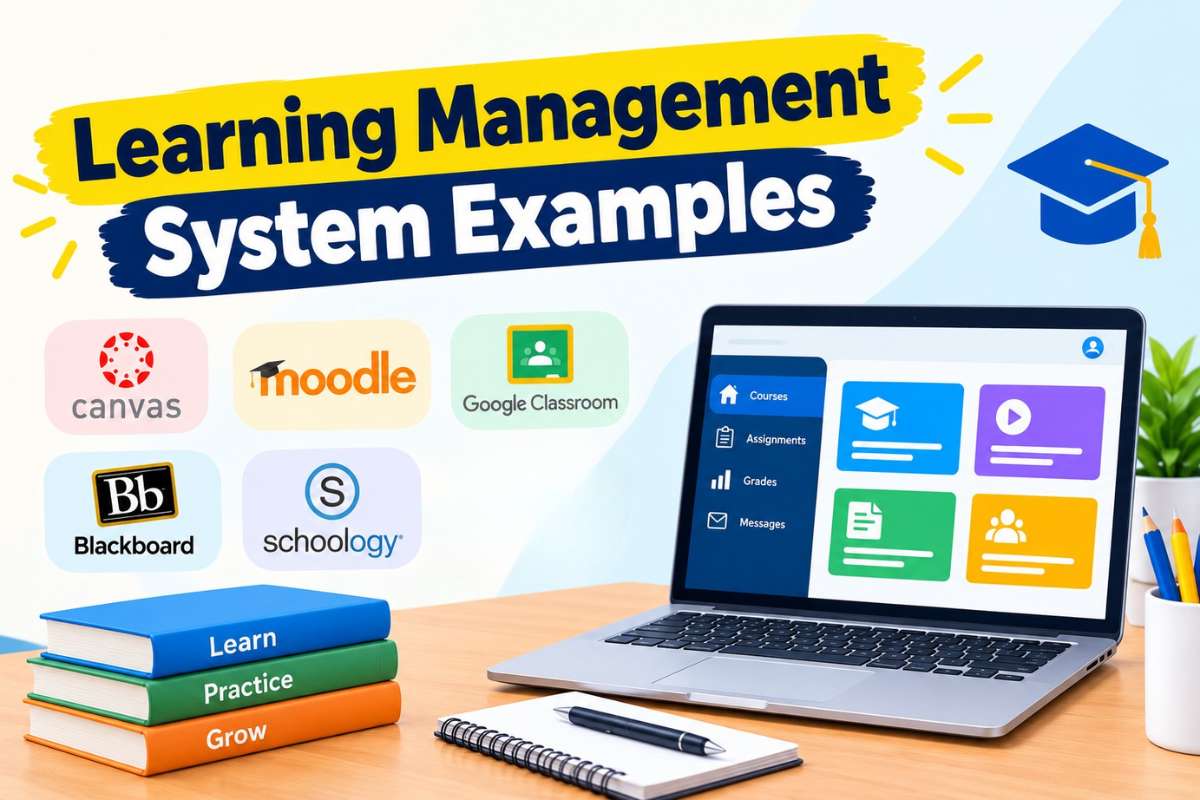
Choosing an LMS is not only about finding a platform with many features. With over 1,190 LMS products listed in Capterra’s software directory, the choice can quickly become overwhelming. The right system should fit the people who use it, the type of training you deliver, and the way your organization works.
This guide covers learning management system examples across corporate training, higher education, K–12 schools, and customer or partner training. Each example includes its best use, key features, and pricing. You will also see how LMS platforms differ by type and what to check before making a choice.
What is a Learning Management System?
A learning management system (LMS) is software used to create, deliver, manage, and track learning. Teachers, trainers, and admins can use it to share courses, assign work, run tests, track progress, and view reports. Learners use it to access lessons, complete tasks, and see their results.
An LMS can support online, in-person, or blended learning. Some systems are built for schools, while others focus on employee, customer, or partner training.
Also Read: How does a learning management system work?
12 Learning Management System Examples for Every Use Case
The LMS market is expanding rapidly. Fortune Business Insights estimates that the global LMS market will grow from $31.61 billion in 2026 to $104.04 billion by 2034, at a 16.1% CAGR.
The best LMS examples look different across industries. A school needs tools for classes and grades, while a company may need compliance rules, skill paths, and reports.
Corporate Training
1. TalentLMS
Best for: Small and mid-sized companies
Key Features:
- Course creation and learning paths
- AI course and test creation
- Skills and certification tracking
- Reports, automation, and branches
- Integrations and mobile apps
Pricing: A free plan is available. Paid Core starts at $119/month, while Grow starts at $229/month and Pro at $449/month.
TalentLMS is among the learning management system examples that suit teams who need a simple LMS without a long setup process.
2. Docebo
Best for: Large companies with complex training needs
Key Features:
- AI-powered learning
- Skills and content management
- Advanced reporting
- Integrations and automation
- Support for multiple audiences
Pricing: Custom quote (Estimate: $25,000 to $30,000 per year).
Docebo is designed for larger learning programs that need scale, automation, and several learning audiences.
3. Absorb LMS
Best for: Enterprise employee training
Key Features:
- Course and content management
- Learning paths
- Reporting and analytics
- Mobile learning
- Integrations and automation
Pricing: Custom quote (Estimate: Base platform costs $800 to $1,200+ per month).
Absorb is a fit for organizations that need more control over large training programs and learner groups.
Higher Education
4. Canvas
Best for: Colleges and universities
Key Features:
- Course creation and assessment
- Grade and feedback tools
- Student analytics
- Accessibility features
- Large integration ecosystem
Pricing: Custom quote based on the Canvas tier and institution. Canvas now offers Core, Plus, and Next tiers (Estimate: $5 to $30 per student per year).
Canvas supports online, hybrid, and in-person courses and can connect with many education tools.
Also read: 10 Best LMS for Higher Education in 2026: Features and Key Selection Tips
5. Moodle
Best for: Institutions needing flexibility and control
Key Features:
- Course creation and assessment
- Large plugin ecosystem
- Custom roles and permissions
- Mobile access
- Extensive customization
Pricing: The Moodle LMS software is free and open source when self-hosted. MoodleCloud is a paid SaaS option with plans starting at $160/year.
Moodle is one of the best learning management system examples for institutions that have the technical skills to manage and customize its platform.
6. Blackboard Learn
Best for: Universities and large education systems
Key Features:
- Course and assessment tools
- Grade management
- Student engagement tools
- Analytics
- Integrations with education systems
Pricing: Custom quote (Estimate: Around $9,500 per year).
Blackboard Learn is aimed at institutions that need a full academic LMS with administration, teaching, and student-support workflows.
K–12 Schools
7. Canvas for K–12
Best for: School districts and K–12 teaching
Key Features:
- Course and assignment management
- Student and teacher apps
- Accessibility tools
- Learning analytics
- Parent visibility
- AI-supported teaching tools
Pricing: Custom quote (Estimate: $5 to $30 per student annually).
Canvas offers K–12-specific features for student engagement, analytics, accessibility, and teacher workflows.
Also read: 12 Best LMS for K-12 Schools: Features, Benefits, and Comparison
8. Schoology
Best for: K–12 districts using connected classroom tools
Key Features:
- Course management
- Assignments and assessments
- Gradebook
- Parent communication
- Integrations
Pricing: Custom quote (Estimate: $10 per student per month).
Schoology is designed around school workflows, making it useful when teachers, students, parents, and district admins need access to the same learning environment.
9. Google Classroom
Best for: Schools already using Google Workspace
Key Features:
- Assignment creation
- Grading and feedback
- Class communication
- Google Drive integration
- Simple student workflow
Pricing: Google Classroom is free to use for qualifying institutions under its core plan, with paid upgrades available through Google Workspace for Education (Estimate for upgrades: $4.8 per license per month).
Compared to other learning management system examples, its main advantage is its close connection with tools such as Docs, Drive, Meet, and Gmail.
Customer or Partner Training
10. LearnUpon
Best for: Customer, partner, and employee training
Key Features:
- Multiple learning portals
- Certifications
- Learning paths
- Reporting
- Integrations
- E-commerce support
Pricing: Custom quote (Estimate: Starts around $15,000 to $25,000 per year).
LearnUpon works well when one organization needs separate training spaces for employees, customers, or partners.
11. 360Learning
Best for: Collaborative customer and employee learning
Key Features:
- Collaborative course creation
- AI-assisted content tools
- Learning paths
- Reporting
- Integrations
Pricing: Starts at $8 per registered user/month.
Its collaborative model lets subject experts help create and update learning content.
12. Thought Industries
Best for: Customer education and partner training programs
Key Features:
- Customer and partner learning portals
- Course and curriculum management
- Assessments and progress tracking
- E-commerce and paid courses
- Reporting and learner analytics
- Integrations with CRM and business systems
Pricing: Custom quote (Estimate: $24,750 to $115,000 per year).
Thought Industries is designed for external learning audiences, including customers, partners, and members.
How Do LMS Types Change Your Options?
Looking at learning management system examples by deployment and pricing type can make the buying process easier.
Open Source vs. Proprietary
Open-source LMS:
Moodle is the clearest example. The software can be downloaded and self-hosted, giving organizations more control over code, plugins, and data. The software itself is free, but hosting, security, maintenance, and support can add costs.
Proprietary LMS:
Platforms such as TalentLMS, Docebo, Canvas, and LearnUpon are managed by vendors. You usually pay for access and receive vendor support, updates, and hosted infrastructure.
Cloud/SaaS vs. Self-Hosted
Cloud/SaaS:
The vendor hosts and maintains the LMS. This reduces the need for internal IT work and usually makes updates easier.
Self-Hosted:
Your organization runs the software and manages its infrastructure. This gives more control but also adds technical work.
Free vs. Paid
Free:
Free options can work for small pilots, basic classes, or organizations with technical resources.
Paid:
Paid plans may add advanced reports, automation, support, integrations, branding, security controls, or larger user limits.
Which Learning Management System Examples Fit You?
LMS use is already widespread across businesses. 89% of companies use an LMS, including 90% of large companies and 97% of midsize companies.
Whether you’re picking an LMS for business or academics, match your main learning goal with the LMS type and platforms that fit it. This quick guide can help narrow your options before you compare features, Learning Management System Features, pricing, and integrations.
| Your priority | What to consider |
| Employee training | TalentLMS, Docebo, Absorb |
| Higher education | Canvas, Moodle, Blackboard |
| K–12 | Canvas, Schoology, Google Classroom |
| Customer or partner training | LearnUpon, 360Learning, Thought Industries |
| Low upfront cost | Free/open-source or free-plan options |
| Low technical workload | Cloud/SaaS LMS |
| Maximum control | Self-hosted/open source |
What Should You Check Before Choosing an LMS?
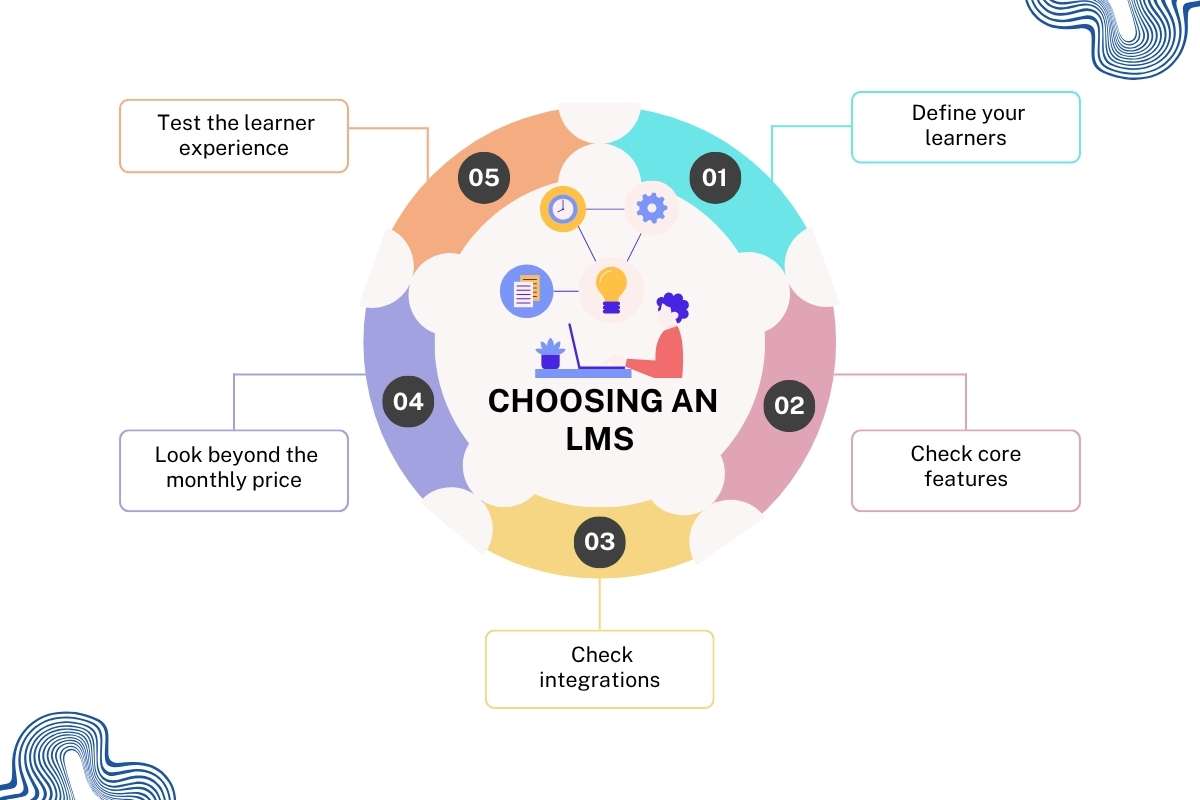
The right learning management system examples will depend on more than feature count. Start with the actual learning problem you need to solve.
1. Define your learners
Are they employees, college students, schoolchildren, customers, or partners? Different audiences need different workflows.
2. Check core features
Look for the features you will use every week:
- Course creation
- Assessments
- Progress tracking
- Reports
- Certificates
- Mobile access
- Automations
- Integrations
3. Check integrations
An LMS should fit your existing tools. Check support for your HRIS, SIS, CRM, identity provider, video tools, and collaboration apps.
4. Look beyond the monthly price
Check setup, migration, support, storage, implementation, integrations, and extra users. LMS pricing can use models such as per-user, active-user, consumption, or annual licensing.
5. Test the learner experience
A powerful LMS can still fail if learners find it hard to use. Run a small pilot before a full rollout.
As Scott Burgess, Founder and CEO of Continu, puts it: “The future of corporate learning won’t be determined by how much content can be generated, but by how intelligently knowledge can be structured, surfaced, and applied when employees need it most.” This highlights why ease of access and practical learning needs can matter as much as an LMS’s feature list.
Conclusion
The best LMS depends on your learners, goals, budget, and technical needs. Learning management system examples range from simple classroom tools to large enterprise platforms. Start by matching the LMS to your use case, then compare its features, integrations, deployment options, and total cost. Check how easy it is for learners and admins to use. A small pilot can also reveal setup issues, workflow gaps, or support needs that a feature list may not show.
FAQs
1. What are examples of learning management systems?
Popular examples include Moodle, Canvas, Blackboard Learn, TalentLMS, Docebo, and LearnUpon.
2. What is the most common type of LMS?
Cloud-based SaaS LMS platforms are widely used because vendors manage hosting and updates.
3. Which LMS is best for corporate training?
TalentLMS, Docebo, and Absorb LMS are common options for corporate training.
4. Which LMS is used in higher education?
Canvas, Moodle, and Blackboard Learn are widely used in higher education.
5. Are there free learning management system examples?
Yes, Moodle is free and open source for self-hosting, while some LMSs offer free plans.