
Schools now manage far more than classroom lessons. Teachers share content, grade work, track progress, and communicate with families every day. Students also expect simple and flexible digital learning tools. This makes a learning management system, or LMS, an important part of modern K-12 education.
However, schools have different needs. The best LMS for K-12 schools should match teaching methods, student age groups, and long-term goals. This guide explains what a K-12 LMS is, its benefits, key features, and the best LMS platforms available. It also covers how to choose the right platform and common challenges schools should plan for before implementation.
What is an LMS for K-12 Schools, and What Should It Do?
A K-12 learning management system is software schools use to plan, deliver, manage, and track learning. Teachers can post lessons, create assignments, run quizzes, grade work, and give feedback. Students can complete tasks, view feedback, and track what they need to finish. Some systems connect parents.
LMS use is already widespread in K-12 education. Research suggests that 91% of K-12 teachers and 84% of K-12 students use an LMS for teaching and learning.
For K-12 use, a strong LMS should support different ages and needs. Moodle, Canvas, and Brightspace offer content, assessment, progress tracking, and personalized learning tools.
The benefits of the best LMS for K-12 schools include:
- One Learning Hub: Keep lessons, tasks, grades, and feedback together.
- Better Visibility: Teachers can spot missing work and slow progress sooner.
- Flexible Learning: Support in-person, blended, remote, and self-paced work.
- Family Access: Some platforms offer parent views for grades and progress.
- Less Admin Work: Templates, gradebooks, and alerts can cut repeat work.
Which Features Matter Most?
K-12 LMS platforms offer features such as course creation, assignments, quizzes, and gradebooks. Additional features include announcements, progress reports, and mobile access.
Integration also plays an important role. In a survey, 68% of teachers said their LMS did not integrate well with many or all of their applications. An LMS should connect with the school’s student information system, identity tools, and classroom software. For example learning management system examples, Google Classroom supports SIS roster syncing, add-ons, and class analytics.
12 Best LMS for K-12 Schools: Top Platforms Compared
Each platform suits a different school setup, budget, staff skill level, and teaching model. The best one is often the one that fits current workflows with the least friction.
1. Canvas
Canvas is a full LMS for schools and districts with varied learning needs. It supports assignments, grading, quizzes, analytics, accessibility, and mobile learning. Teachers can build courses and track student progress from one place. Its broad toolset makes it useful for schools with larger digital learning programs.
2. Schoology Learning
Schoology Learning brings coursework, assessments, communication, and family engagement into one platform. Teachers can create lessons, share resources, grade work, and track progress. It also supports personalized learning and works with many school systems. This makes it useful for schools that want one shared space for learning, and it’s a strong contender among the best LMS for K-12 schools available today.
3. D2L Brightspace
D2L Brightspace focuses on personalized learning, assessment, and learning data. Teachers can build learning paths and track student progress over time. Its analytics can help schools spot learning gaps and review outcomes. It can suit districts that need detailed data tools and support for different learner needs.
Also Read: 10 Best LMS for Higher Education in 2026: Features and Key Selection Tips
4. Moodle LMS
Moodle is an open-source LMS that gives schools strong control over setup. Schools can add plugins, change course layouts, and create custom learning workflows. It supports assignments, quizzes, gradebooks, reports, and learning paths. Moodle can suit schools with technical teams that want more control over their LMS. It is a flexible option among the best LMS for K-12 schools for districts with IT support.
5. Google Classroom
Google Classroom offers a simple way to manage classwork and digital tasks. It connects with tools such as Google Docs, Drive, Meet, and Forms. Teachers can post work, grade assignments, and share feedback from one place. It can be a practical choice for schools already using Google Workspace.
6. Blackboard LMS
Blackboard provides tools for course delivery, assessment, grading, and student progress. It also includes accessibility features, analytics, and AI-supported tools. Schools can use it to manage learning across different courses and groups. Its broad feature set may suit larger schools with more complex learning needs.
7. Microsoft Teams for Education
Microsoft Teams for Education combines lessons, assignments, meetings, files, and chat. It can help schools reduce the number of separate tools used each day. Teachers can share work, give feedback, and meet students online. It is especially useful for schools that already rely on Microsoft 365.
8. itslearning
itslearning helps teachers plan lessons, manage tasks, and track student progress. It supports learning plans that can be adjusted for different student groups. Teachers can also use tools for communication and collaboration. Its structure can help schools that want more organized digital lesson plans and learning paths.
9. Toddle
Toddle combines curriculum planning, assessment, portfolios, reports, and communication tools. It supports schools that use inquiry-based teaching and international education models. Teachers can document student work and share progress with families. Its wider set of school tools can support both classroom learning and curriculum planning.
10. Classter
Classter combines an LMS with student information and school management tools. Schools can manage learning, attendance, grades, communication, and other student records. Parents and students can also access selected information through portals. It can suit schools that want to bring learning and administrative tasks into one system.
11. Open LMS EDU
Open LMS EDU is a managed learning platform built on Moodle technology. It gives schools access to Moodle-based learning tools with cloud hosting and support. Schools can use it for course delivery, assessment, and learner management. It may suit schools that want Moodle features without managing the full technical setup.
12. MapleLMS
MapleLMS supports online courses, assignments, assessments, grading, and certificates. Its tools can support schools that deliver formal online learning or tests. The platform also offers features for secure assessment and reporting. Schools should check device support and system links before choosing it for wider use.
Together, these platforms represent the best LMS for K-12 schools looking to modernize teaching and learning. Here’s a quick comparison of the above LMS platforms:
| LMS | Best For | Key Strength | Potential Limitation |
| Canvas | Districts | Full LMS tools | Needs setup and training |
| Schoology | K-12 learning | Family engagement | Migration may take time |
| Brightspace | Personalized learning | Strong analytics | May be complex for small schools |
| Moodle | Custom LMS needs | High flexibility | Needs technical support |
| Google Classroom | Google Workspace schools | Simple workflows | Fewer advanced LMS tools |
| Blackboard | Large schools | Broad feature set | Can require more training |
| Microsoft Teams | Microsoft 365 schools | Learning and collaboration | Not a full LMS for every need |
| itslearning | Structured teaching | Learning plans | Needs workflow testing |
| Toddle | Inquiry learning | Portfolios and planning | Wider setup may take time |
| Classter | School management | LMS plus admin tools | Implementation can be complex |
| Open LMS EDU | Managed Moodle | Hosting and support | Less control than self-hosted Moodle |
| MapleLMS | Online learning | Assessment tools | Integrations need testing |
You can also narrow the best LMS for K-12 schools by need. Canvas, Schoology, and Brightspace suit broad LMS needs. Moodle and Open LMS suit teams that value customization. Google Classroom and Teams fit schools already using those ecosystems. Toddle and Classter link learning with wider school workflows.
How Can You Choose the Best LMS for K-12 Schools?
Start with the school’s daily work, not the vendor’s feature list. Write down five tasks: posting a lesson, assigning work, grading, contacting families, and checking progress. Ask each vendor to show them live.
John Watson, founder of the Evergreen Education Group, recommends keeping the school’s needs at the center of vendor demos: “We always suggest that schools ask for online demos, and that the schools are really driving those demos.”
Then test the student journey. Can a younger student find the next task? Can a teacher grade quickly? Can a parent see the right information? Can an admin add a school without rebuilding the system?
Use a simple scorecard:
- Teaching Fit: Curriculum, assessment, feedback, and learning paths.
- Student Fit: Age-appropriate design, mobile access, and accessibility.
- System Fit: SIS, identity, and Google or Microsoft tools.
- Admin Fit: Roles, reports, privacy controls, and support.
- Change Fit: Training, migration, and adoption.
The best LMS Learning Management Systems for K-12 schools should also pass a small pilot. Test one elementary, middle-school, and high-school course before a district-wide launch.
Also Read: How is AI in Learning Management Systems Changing Employee Training?
What Common LMS Challenges K-12 Schools May Face?
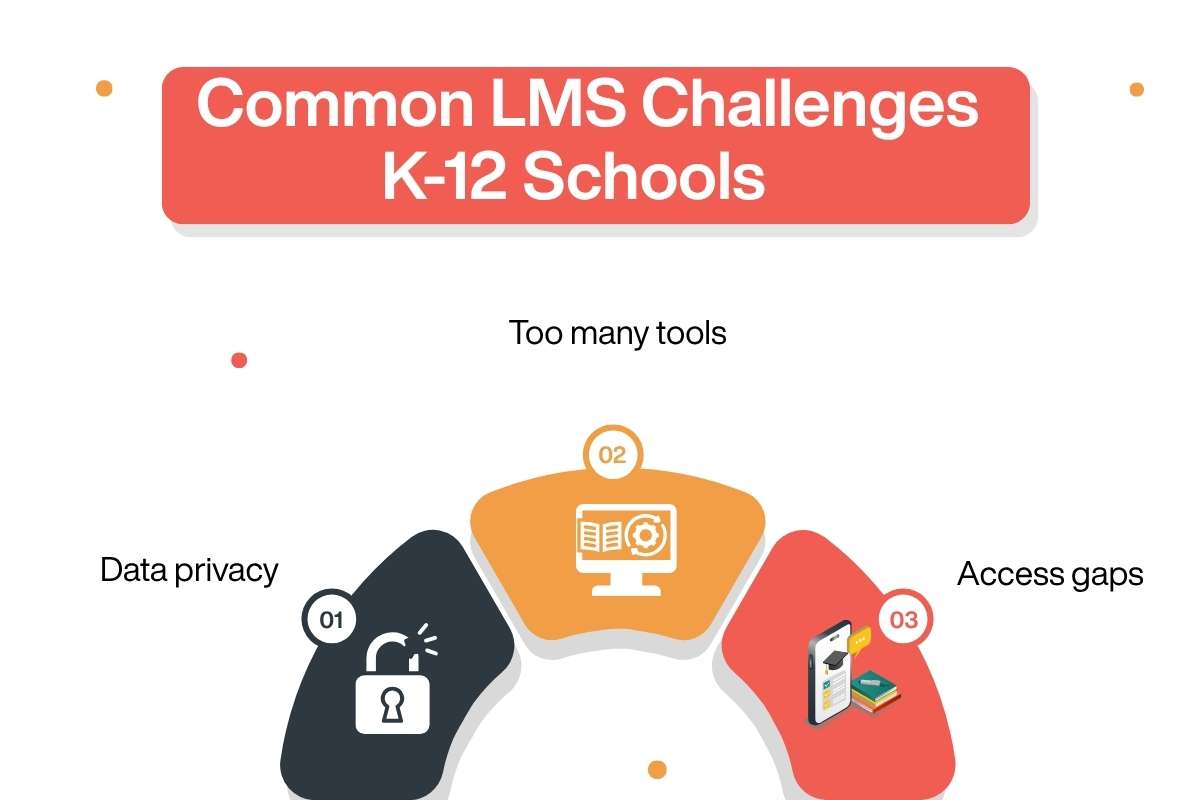
K-12 LMS projects can fail even when the software works. The issue is often the gap between platform features and school routines. Teachers may need time to rebuild courses, learn gradebooks, or change feedback habits.
Data privacy is a key concern. Schools should review data storage, access rules, retention, vendor terms, and local privacy laws before signing.
Too many tools can hurt adoption. Separate apps for video, messages, etc., can create duplicate work. Check whether the LMS can connect to or replace them. In the UK Department for Education’s 2024–25 survey, 10% of primary teachers said technology had increased their workload.
Access gaps matter too. Younger students may need simpler screens. Some learners may rely on phones or shared devices. Test login, mobile use (Supporting – Top Mobile Learning Platforms), low-bandwidth access, captions, screen-reader support, and offline options.
Finally, plan for migration. Clean old course files, map key data fields, set user roles, and build teacher training before launch.
Conclusion
An LMS should do more than store lessons and assignments. It should help teachers save time, support student learning, and give leaders useful information. The best LMS for K-12 schools depends on school size, curriculum, technology systems, and teaching goals.
Schools should compare platforms using real classroom tasks instead of long feature lists. A pilot program can also reveal issues before a full rollout. Review accessibility, privacy, reporting, integrations, and teacher support early in the process. With the right planning, an LMS can improve learning, communication, and school operations for years to come.
FAQs
1. What is an LMS in K-12 education?
An LMS is a digital system schools use to deliver lessons, assignments, assessments, feedback, and learning data.
2. Is Google Classroom an LMS?
Yes, Google Classroom is widely used as a school learning platform.
3. How much does a K-12 LMS cost?
K-12 LMS costs vary by platform, users, features, and contract terms.
4. What should schools check before buying an LMS?
Schools should test usability, privacy, integrations, support, and other factors before buying any of these best LMS for K-12 schools.