

LMS implementation challenges often include poor planning, low user adoption, data errors, and technical issues. These problems can delay a launch, raise costs, and weaken learning results. A clear plan helps teams avoid common mistakes and get more value from their new system.
But buying the right learning management system (LMS) is only the first step. Success also depends on people, clear goals, and sound planning. This guide covers six common problems and how to solve them. It also shares best practices, a handy checklist, and tips for setting a realistic launch date.
What are the Most Common LMS Implementation Challenges?
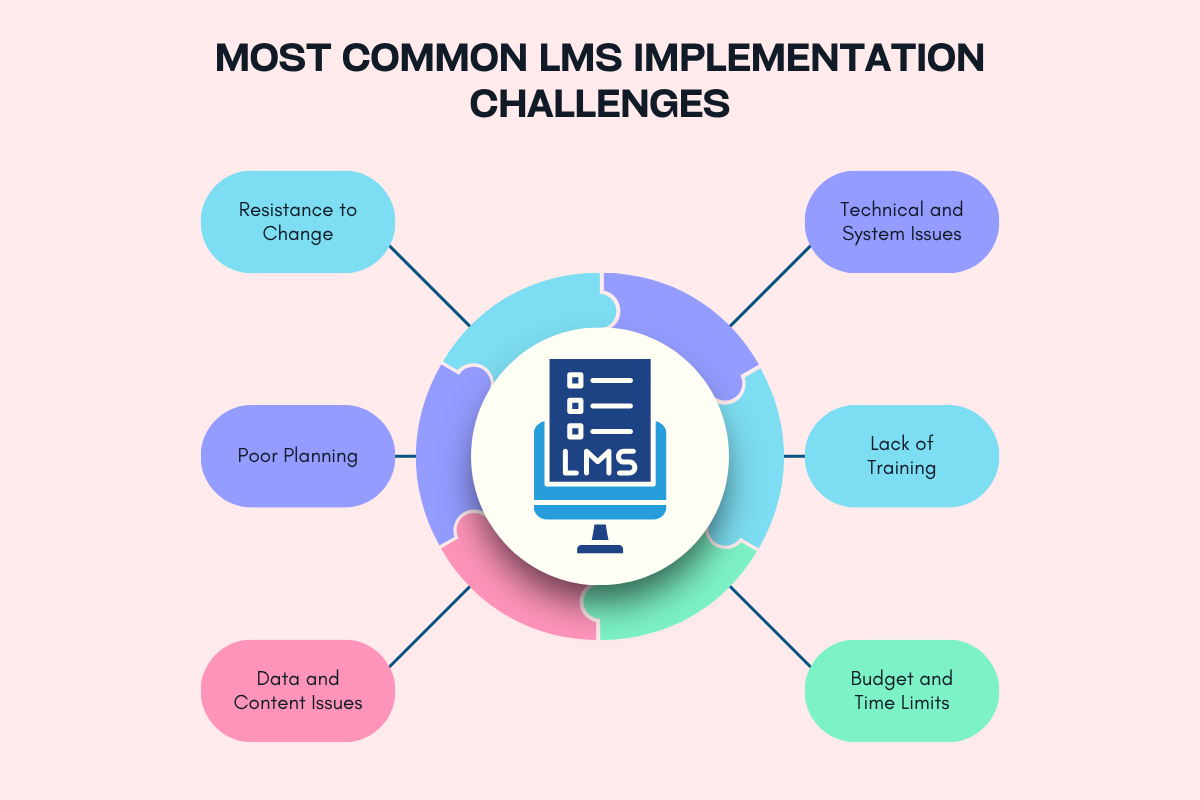
These challenges arise when teams struggle to align their goals, people, data, and tools. These issues can affect every stage, from choosing a platform to launching courses. Some start with poor planning, while others appear during data transfer or user training. Even a good LMS can fail if people find it hard to use. Teams can lower these risks by setting clear goals, naming task owners, and testing the system before launch.
The most common LMS implementation challenges include low user adoption, poor planning, data errors, system issues, weak training, and budget limits. Each problem can slow the rollout or reduce the value of the new system. Here is how to spot and solve each one.
1. Resistance to Change
People may resist a new LMS because they feel safe with their current tools. Some fear extra work, while others may not see the value of the change. If leaders fail to explain the reason for the switch, users may see it as a burden. This can lead to low course use and poor results.
Resistance can grow when users have no say in the choice. A new platform may also disrupt daily tasks. People may then return to old tools, which can split course content and learner records across systems.
How to overcome this: Ask users what they need before you choose an LMS. Explain how the new system will help them do their work. Test it with a small group first, then use their feedback to fix issues. Share updates during the rollout and ask managers or school leaders for the best LMS for K-12 Schools to support the change.
2. Poor Planning

LMS implementation challenges often begin when a rollout lacks clear goals, roles, and a set timeline. Without them, teams may start work before they know which courses to move or what reports they need. This can lead to missed tasks, repeated work, and delays. When no one owns a task, key steps may fall through the cracks.
The project can also grow beyond its first plan. Teams may ask for extra tools or Learning Management System Features after setup has begun. These changes can raise costs and push back the launch date.
How to overcome this: Build a project plan before you set up the LMS. Name one project lead and assign clear roles for data, content, testing, and training. Set goals you can track, such as course completion rates. Review progress each week and record any change that affects cost, time, or scope.
3. Data and Content Issues
Data migration is one of the key LMS implementation challenges because errors or missing records can disrupt learning and reporting. Course files, learner profiles, grades, and records may use different formats. Old data may also contain errors, duplicate users, or broken links. Moving all content without a review can bring these issues into the new system.
Missing records can cause real harm. Learners may lose proof of coursework, while teachers may not find the right files. HR teams may also struggle to check if employee training in the LMS for Employee Development is being done properly. Fixing these issues after launch takes time and can raise costs.
How to overcome this: Check the old system before moving any data. Choose which users, courses, and records must move. Remove old files and fix errors first. Test a small batch, then compare the new records with the old ones. Keep a safe backup and ask key users to check the results before launch.
4. Technical and System Issues
An LMS often needs to work with other tools, such as HR or student record systems. It may also need to link with sign-in tools, video apps, and test systems. These links can fail when tools use different data formats or rules. Poor links may cause login errors, duplicate accounts, or missing records. Knowing how an LMS works how does a learning management system work can help teams understand how user data, course content, and learning reports move through the system.
For example, course results may not reach an HR system when a link fails. Staff may then need to enter the same data by hand. 24% of HR managers cite difficulty integrating new technologies as a barrier to learning and development.
How to overcome this: List all tools that must link with the LMS before setup begins. Ask your IT team and vendor to check if they work well together. Test logins, data sharing, course tools, and reports in a safe test space. Check access rules and mobile use. Give each link an owner who can fix faults after launch.
5. Lack of Training

Even a simple LMS can confuse people who have never used it. Admins may need help with user access and reports. Teachers at schools or universities best LMS for higher education may need help to build courses or mark work. Learners may not know how to find files, send work, or check their progress. Just 31% of learners find it very easy to navigate and complete training through their organisations’ LMS. One training session may not meet every need.
Poor training can lead to more help requests and wrong settings. Users may also avoid new tools and return to old ways of working. If help ends on launch day, small problems can soon grow into new LMS implementation challenges.
How to overcome this: Give each user group training that fits its tasks. Use short demos, clear guides, and simple practice tasks. Offer live help and a page with answers to common questions. Train a few team members to help their peers. Review help requests after launch and add training where users need it most.
6. Budget and Time Limits
The cost of an LMS goes beyond its license or monthly fee. Teams may also need to pay for data moves, course design, system links, training, and support. Staff time is another cost that can be easy to miss. If the budget covers only the software, the team may lack the tools or time to finish the work.
Tight deadlines can worsen LMS implementation challenges. Teams may rush tests or skip training to meet a launch date. This can leave errors in place and upset users. Delays may also arise when staff must balance the project with their daily work.
How to overcome this: Plan for the full cost of setup and support. Set aside funds for unexpected needs. Focus first on the features users need most. Add less urgent features later. Set time for testing, training, and a pilot launch. Check costs and progress often, then act early if the plan falls behind.
Best Practices to Ensure a Smooth LMS Implementation

The best way to reduce LMS implementation challenges is to plan for people, tasks, and tools from the start. Chris McRae, head of global implementations at Docebo, advises teams to prepare course content and define use cases before launch. He says, “If you have your content ready to go—if you have those requirements and use cases prepped and ready—you can get going very quickly.” A key lesson is that LMS success takes teamwork.
Use this checklist before launch:
- Set clear goals: Define what the LMS should help you achieve.
- Name task owners: Give each task a clear owner and due date.
- Ask users for input: Learn what teachers, learners, and admins need.
- Check the platform: Make sure its tools fit your needs and daily tasks.
- Plan data moves: Clean old records and choose what to keep.
- Test system links: Check sign-in tools, record systems, and reports.
- Train users: Give each group clear guides and time to practice.
- Run a pilot: Test key tasks with a small group before launch.
- Protect data: Check access rules, backups, and privacy needs.
- Track results: Review use, course progress, and user feedback.
Do not treat launch day as the end of the work. Keep checking results and fixing issues. Ask users what works, what needs to change, and update courses as needs grow. This helps the LMS stay useful over time.
Also Read: Learning Management Systems: Features, Types, Platforms & Future
Conclusion
A new LMS rarely succeeds or fails because of the software alone. The outcome depends on how well your team prepares for the change around it. Treat implementation as an ongoing effort, not a one-time project. You can start with a small pilot, act on user feedback, and keep updating courses after launch. Review the checklist above to find where your team is least prepared, then fix those gaps early to avoid LMS implementation challenges.
FAQs
1. What are the most common LMS implementation challenges?
The main issues are poor planning, low user adoption, data errors, system links, weak training, and budget limits.
2. How can you ensure successful LMS implementation?
Set clear goals, involve users, test the system, train each group, and offer support after launch.
3. What causes LMS implementation to fail?
Poor planning, unclear roles, weak user support, and a lack of testing can cause an LMS rollout to fail.
4. How do you measure LMS implementation success?
Track user activity, course completion, learner feedback, help requests, and progress toward learning goals.
5. How long does LMS implementation take?
LMS implementation can take a few weeks to several months, depending on project size, data migration, system links, and training needs.