
The main difference between LMS and LXP is how people learn and how teams track progress. A learning management system (LMS) assigns courses, tracks results, and stores training records. A learning experience platform (LXP) helps people find useful content and build new skills. Both support learning, but each serves a different need.
The right choice depends on your goals, budget, and current tools. Some teams need clear records for safety training or audits. Others want people to explore new topics and grow their skills. Many need both. This guide compares key features and helps you choose a platform.
LMS vs LXP: What They Are and Their Differences
A learning management system (LMS) is a platform that helps teams assign courses, deliver training, and track results. A learning experience platform (LXP) helps people find useful content, explore topics, and build skills at their own pace.
The main difference between LMS and LXP is control versus choice. An LMS focuses on planned training, course tracking, and clear records. An LXP helps people find content and guide their own learning. Both support skill growth, but their costs, setup needs, and key features Learning Management System Features can differ.
Here’s a quick look at the differences between them:
| Feature | LMS | LXP |
| Learning style | Admins assign courses | Learners choose content |
| Control | Set rules, dates, and tasks | More freedom to explore |
| Content | Courses, tests, and lessons | Courses, videos, articles, and shared tips |
| Personal learning | Based on roles and set paths | Based on goals, skills, and interests |
| Reports | Tracks scores, dates, and course status | Tracks content use and learner activity |
| Cost | Often based on users, features, and support | May cost more when content tools and licenses are added |
| Setup difficulty | Often simpler for basic training needs | May need more work to link content and set up useful suggestions |
| Main goal | Deliver and track planned training | Help people learn and build skills |
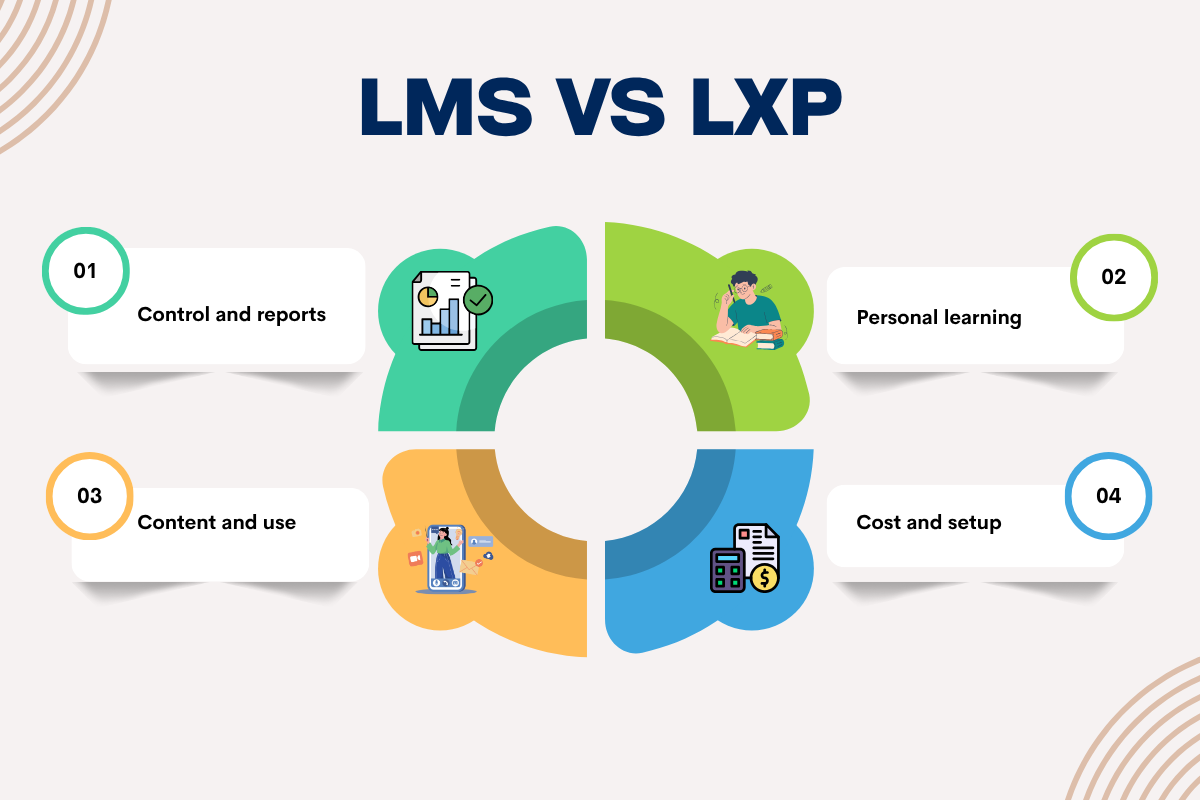
Let’s look at these differences between LMS and LXP in more detail.
Control and reports:
An LMS gives admins more control over training. It shows who took a course, when they finished, and how they scored. These records help teams prepare for audits and check if staff meet key rules. Schools Best LMS for K-12 Schools and colleges Best LMS for Higher Education can also use reports to track student work.
Personal learning:
An LXP gives people more ways to find useful content. They do not need to wait for an admin to assign every course. For example, a student can explore extra lessons on a hard topic. A worker can find a guide to improve their writing or data skills. In fact, 84% of employees feel learning adds purpose to their work.
Content and use:
An LXP can bring content from many sources into one place. People may also share links, videos, and tips. This gives them more ways to learn beyond set courses. But a large library alone will not help learners. Teams must keep content fresh and make sure it meets their needs.
Cost and setup:
An LXP generally costs more than an LMS. This is because LXPs use smart AI to recommend videos and articles for each person, while an LMS just tracks basic required training. There may be some challenges LMS implementation challenges, but an LMS is easier to set up for basic training. An LXP may need more time to link content sources and tailor suggestions.
LMS vs LXP: Pros and Cons of Each

LMS Pros:
An LMS makes it easier to assign courses, track results, and keep training records in one place. It suits teams that need set learning paths, deadlines, and proof of course completion. In a Forrester study, instructors using Adobe Learning Manager saved 60% of their time on admin tasks.
LMS Cons:
An LMS may feel rigid when people want to explore topics on their own. Its content may focus on formal courses, and learners may have fewer ways to share tips or find new resources.
LXP Pros:
An LXP helps people find content that fits their goals and interests. It can support self-led learning, skill growth, and wider use of learning resources.
LXP Cons:
An LXP needs a useful, well-maintained content library to work well. It may also offer weaker tools for formal training records, audits, and required courses.
The gap between the two is getting smaller. Many LMS platforms learning management system examples now offer content tips, social learning, and custom paths. Some LXPs also track coursework and test results. Still, an LXP may not replace an LMS when formal records matter.
When Should You Choose an LMS vs LXP?

Choose an LMS Learning Management Systems when you need set courses, tests, and clear records. Pick an LXP when people need more choice and ways to build skills. If you need both, use one tool with both sets of features or link two tools.
| Situation | Best fit | Why |
| Small team (under 200 people) | LMS | Covers core training with less setup |
| Mid-size team | LMS or both | Depends on the need for skill growth |
| Large company | Both | Supports formal training and wider learning needs |
| Few rules to follow | LXP or LMS | Choose based on your main goal |
| Some rules to follow | LMS or both | Keeps records while adding more choice |
| Strict rules and audits | LMS, with an LXP if needed | Keeps required training records in one place |
| Set learning plans | LMS | Supports course dates and set tasks |
| Mix of set and free learning | Both | Supports required courses and personal growth |
| Self-led learning | LXP or both | Helps people find content on their own |
| No LMS in place | LMS first | Sets up a base for planned training |
| LMS already in use | Add an LXP if needed | Adds new ways to find content |
| HR or talent system in place | Linked tools or one suite | May cut repeat work and data entry |
A simple rule: You may not need an LXP if you have a small team and mostly required training. Start with the tool that meets your main need. Add more features when there is a clear need for them.
Conclusion
Choosing between LMS and LXP starts with your learning goals. Decide whether you need firm control over training or more freedom for people to build skills. If both matter, look for a platform that supports each need. Compare key features, check how well each tool fits your current systems, and ask vendors to show how their platform meets your team’s needs.
FAQs
1. Is an LXP worth it for a small company?
An LXP helps when staff need self-led learning, but a small team may only need an LMS.
2. What is the cost of LMS vs LXP?
Both vary by user count and features, with some plans priced per user and others requiring custom quotes.
3. Can I add an LXP to my existing LMS?
Yes, you can link an LXP to your LMS to add content search and personal learning paths.
4. Do LXPs handle compliance training?
Some LXPs track set courses, but an LMS is often better for formal training records.